
IndexIQ – AI Smart Search & Filters
IndexIQ enhances product discovery with AI-powered search, live suggestions, typo tolerance, smart synonyms, voice search, and advanced filters. Help customers find products faster with intelligent search results and merchandising controls designed to improve conversions.

AI Smart Search & Filters
Try searches like: Tshirt, shoes, phone, or even misspelled words
IndexIQ will still find the right products. You can also use the Voice button for a modern search experience
Key Features
AI Smart Search
Live Search & Instant Preview
Voice Search
Typo Tolerance & Smart Synonyms
Advanced Merchandising Controls
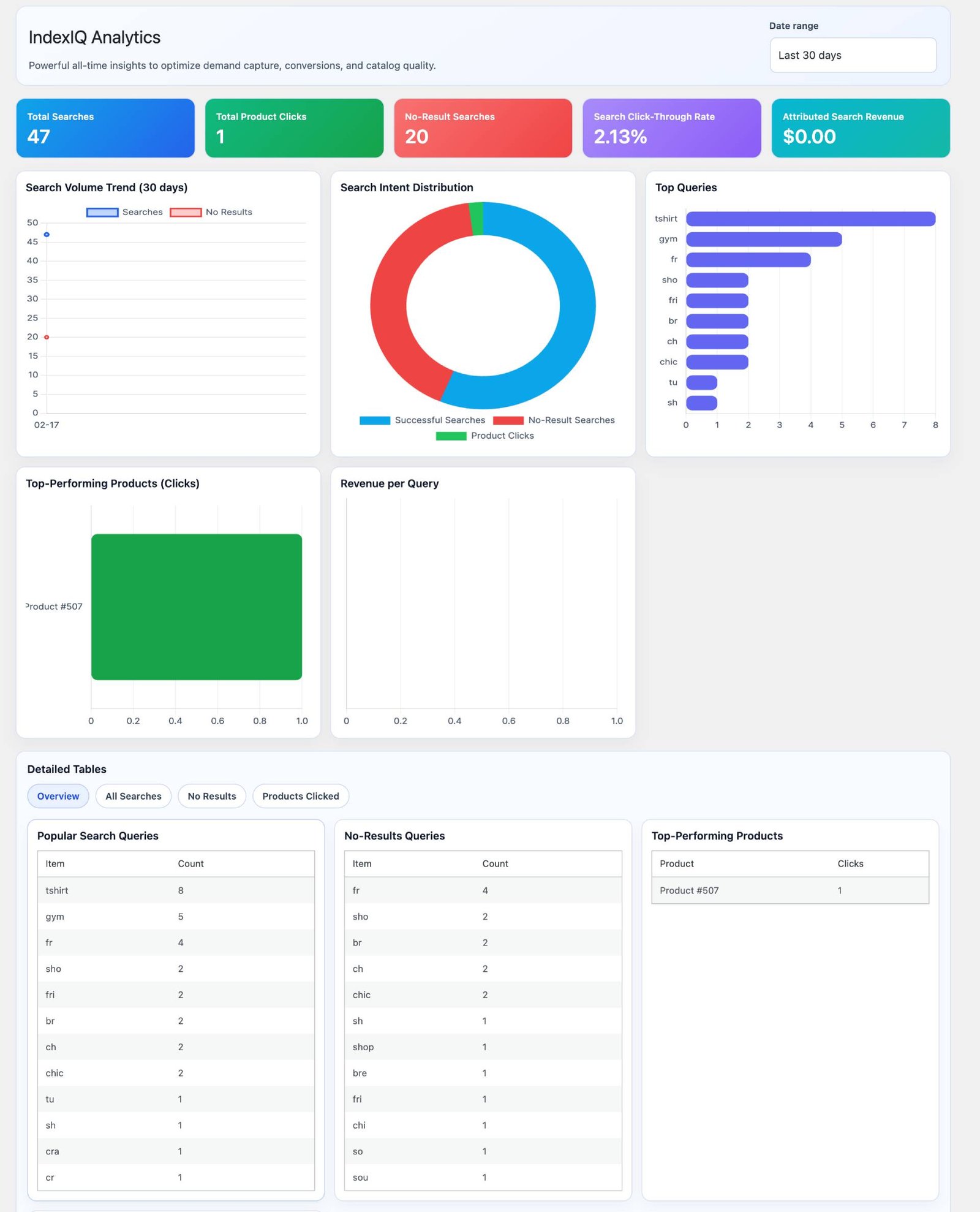
Screenshots
How to Get Started
- 1.Install the extension into your WooCommerce store by navigating to Dashboard > Plugins > Add New > Upload and Activate the plugin.
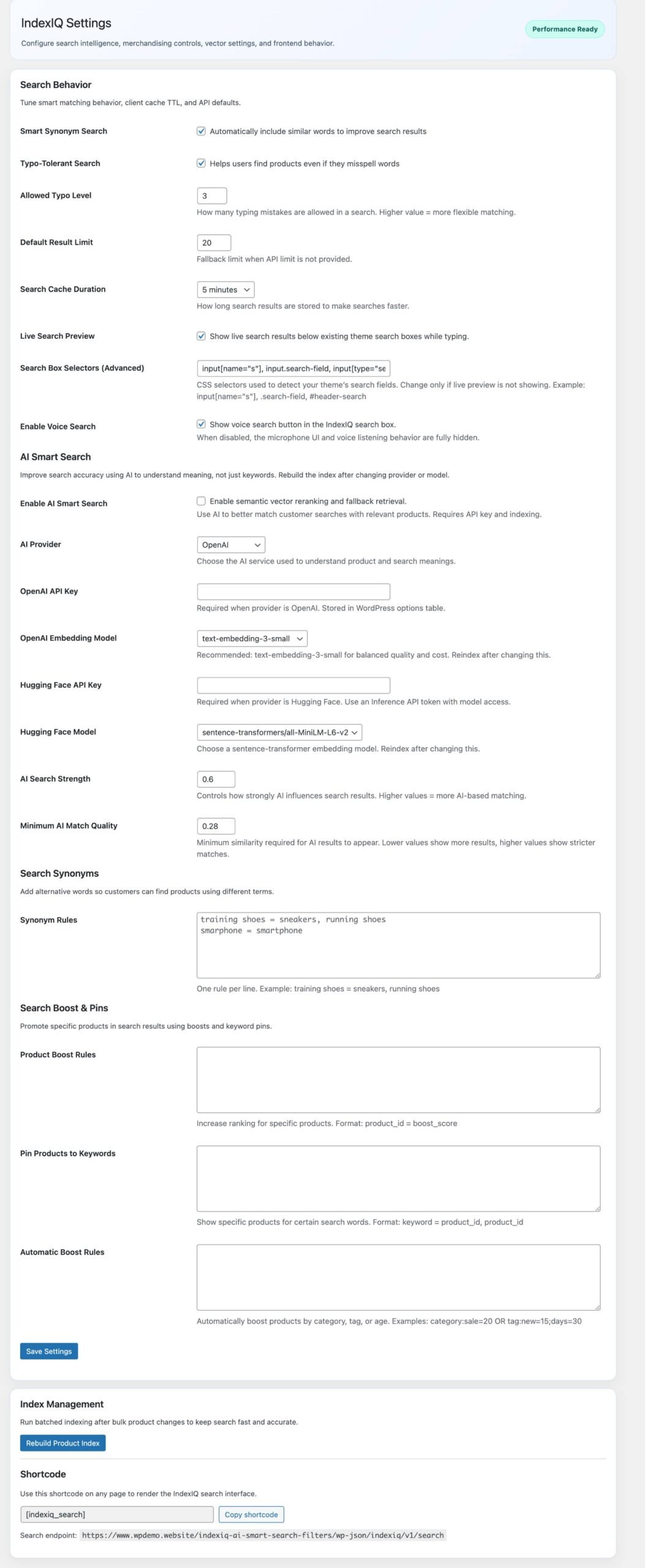
- 2. Now navigate to Dashboard > IndexIQ > Settings and configure the necessary settings here. After that please click on "Save settings" button. Now finally, please click on "Rebuld Product Index" button.
- 3. Now you can paste this shortcode " [ indexiq_search ] " any where in your website pages to check how the search module works.
Frequently Asked Questions (FAQs)
A: IndexIQ uses AI-powered semantic search to understand customer intent instead of relying only on exact keywords. This helps shoppers find relevant products even when they use different words or phrases.
See how IndexIQ works on your shop page now
How to configure the plugin?
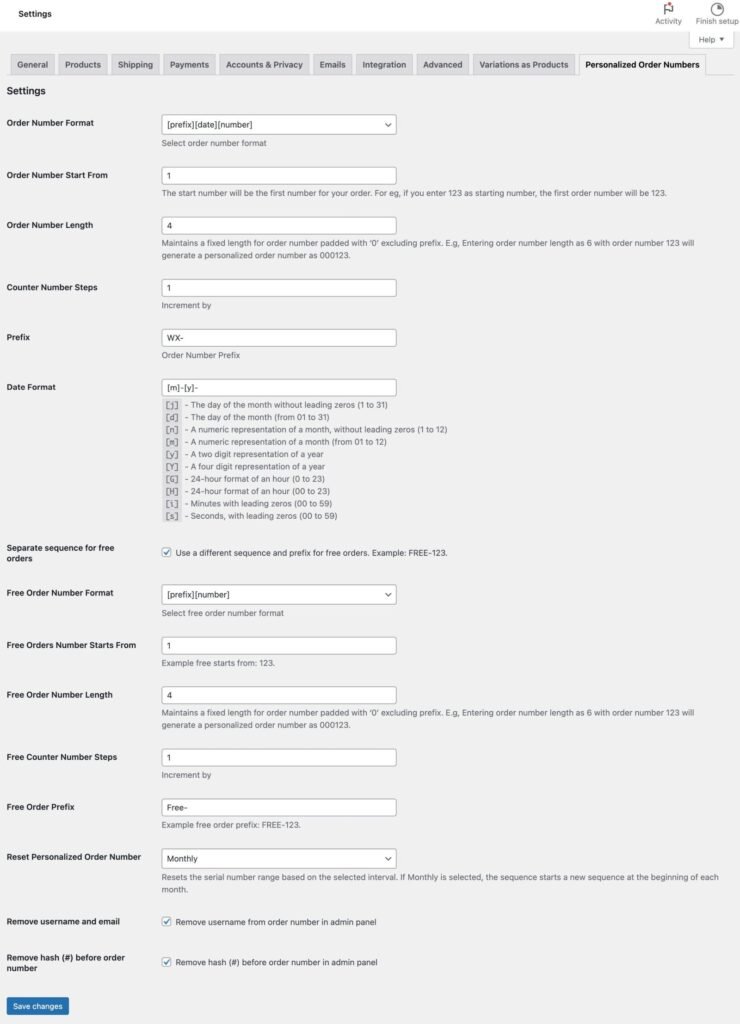
After configuring the above settings, click on Save changes button. Now you can test the order number by creating an order. Go to shop and crate your order to view the Personalized order number.
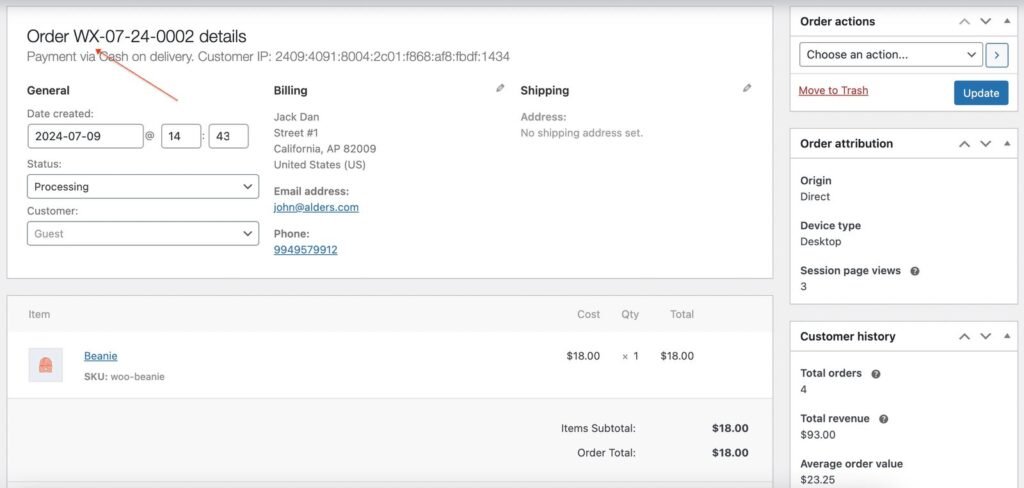
Admin Order View